Why UD's WING VISUALS is a top-tier shader mod for Minecraft 1.21.132
Developed by the talented creator UDGAMER, UD's WING VISUALS stands out as a highly recommended selection for your Minecraft client. It is fully optimized, compatibility-tested, and brings a major upgrade to the gameplay experience in Minecraft version 1.21.132.
⚙️ Quick Resource Specs
| Mod Creator | UDGAMER |
| Latest Version | 1.21.132 |
| Supported Game Versions | 1.21.132, 1.21.131, 1.21.130, 1.21.100, 1.21.94 |
| File Size | 216.86 KB |
| Last Updated | |
| Total Downloads | 1,061 downloads |
🪽 UD's WING VISUALS
Dreamy Anime & Cinematic PBR Shaders for Minecraft Bedrock (1.21.80+)
Created by: UDGAMER
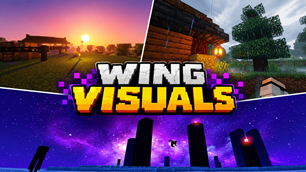
Turn your Minecraft into a beautiful anime scene! UD's WING VISUALS is an original Vibrant Visuals (PBR Deferred) shader pack made for players who love colorful, dreamy, and aesthetic graphics without losing performance.
✨ Key Features
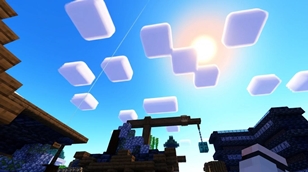
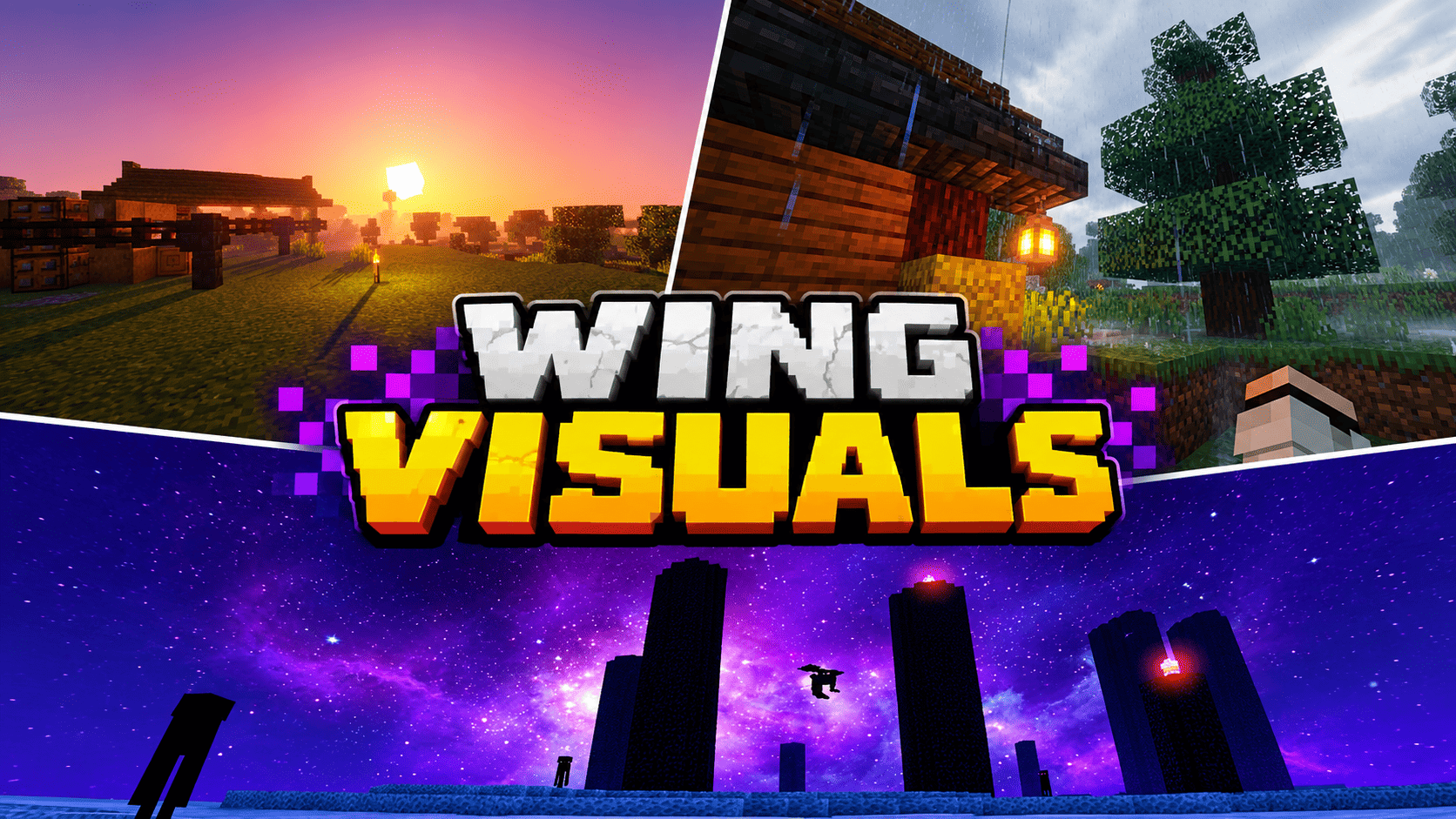
- ☀️ Anime Daytime & 3D Clouds: Bright azure skies with fluffy rounded 3D clouds instead of boring flat squares.
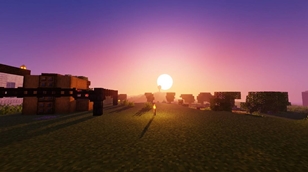
- 🌅 Magical Sunset / Sunrise: A breathtaking gradient of deep purple, magenta, coral pink, and golden peach with a large glowing circular sun.
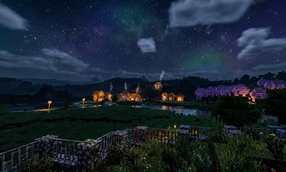
- 🌌 Aurora Night Sky: Deep starry cosmic navy sky featuring soft green-teal Aurora ribbons and a glowing crescent moon.
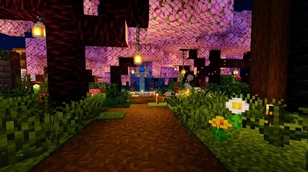
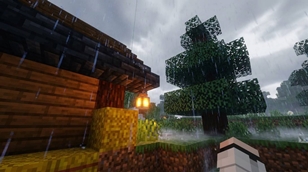
- 🌸 Glowing Lanterns & Cherry Grove: Warm golden light pools from lanterns and torches illuminating cozy wooden paths and cherry blossoms.
- 💧 Crystal-Clear Water: Transparent turquoise ocean and river water with gentle wave reflections and caustics.
- 🔥 Fiery Nether Ocean: Intense glowing neon lava lakes contrasting against dark basalt pillars.
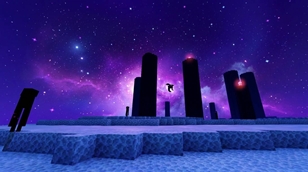
- 🔮 Cosmic End Sky: Deep mystical purple nebula sky covered in thousands of bright twinkling stars.
⚙️ Performance Presets (Subpacks)
Click the Gear (⚙️) icon on the pack to pick your preferred style:
- 🚀 Lite: Fast & battery-friendly for low-end phones.
- ⚖️ Balanced (Default): Smooth 60 FPS target for mid-range phones, PCs & consoles.
- 💎 Ultra: Maximum volumetric fog & cinematic lighting for high-end devices.
📥 How to Install
- Download
UDs_Wing_Visuals.mcpackand open it with Minecraft. - Go to Settings ➔ Global Resources ➔ Activate UD's WING VISUALS.
- Go to Settings ➔ Video ➔ Set Graphics Mode to Vibrant Visuals (Deferred Technical Preview).
- Jump into your world and enjoy the view!
Note: Make sure your device supports the official Vibrant Visuals / Deferred graphics toggle in video settings.
⚖️ Rules & Terms of Use
- Created by UDGAMER. 100% original config and custom textures.
- ✅ You can: Play, stream, and showcase this pack in videos (please credit UD's WING VISUALS by UDGAMER).
- ❌ You cannot: Re-upload to other websites, share through direct money-shorteners, or steal the code/textures for your own pack.
💬 Feedback & Support:
If you like this shader, please leave a 5-star rating ⭐⭐⭐⭐⭐ and drop a comment! Thank you for your support!
The Ultimate Guide to UD's WING VISUALS
If you are exploring the vast world of Minecraft modifications, UD's WING VISUALS by UDGAMER is a standout shader that deserves your attention. With over 1,061 downloads, it has become a staple for players looking to enhance their experience. As the creator describes it, this project is "Aesthetic anime vibe to Minecraft Bedrock! Enjoy purple-pink sunset skies, 3D rounded clouds, glowing circular celestial bodies, dancing Aurora nights, crystal-clear water, and warm glowing lanterns with official Vibrant Visuals PBR lighting.". Whether you are a veteran builder constructing massive cities, or simply a casual player looking to upgrade your survival world, this guide will provide you with all the essential details on how UD's WING VISUALS alters the game.
What Makes It Special?
Unlike standard shaders that simply alter superficial elements, UD's WING VISUALS introduces a wide array of visual and mechanical features designed to seamlessly blend into the vanilla aesthetic. UDGAMER has clearly spent significant time refining the project to ensure that every aspect feels polished and responsive for version 1.21.132.
Installation Guide
Getting UD's WING VISUALS up and running is straightforward. Follow these step-by-step instructions:
- Verify Your Version: Ensure your Minecraft launcher is set to version 1.21.132.
- Install Mod Loader (if required): If this is a mod, download the compatible loader (Forge, Fabric, NeoForge).
- Download the File: Click the secure download button above to retrieve the official file from CurseForge.
- Move the File: Place the downloaded file into your `mods`, `shaderpacks`, or `resourcepacks` folder depending on the shader type.
- Launch and Enjoy: Open Minecraft, navigate to the respective settings menu, and activate UD's WING VISUALS.
Compatibility & Performance
Compatibility is robust. UD's WING VISUALS is designed specifically for version 1.21.132, taking full advantage of the latest engine optimizations. During typical gameplay, this addition maintains a stable frame rate, though lower-end laptops might experience slight stuttering. We recommend pairing this with performance boosters like Sodium or Iris to guarantee a silky-smooth experience.