Why PVP 16x PVP is a top-tier texture pack mod for Minecraft 1.21.132
Developed by the talented creator Sonicmods, PVP 16x PVP stands out as a highly recommended selection for your Minecraft client. It is fully optimized, compatibility-tested, and brings a major upgrade to the gameplay experience in Minecraft version 1.21.132.
⚙️ Quick Resource Specs
| Mod Creator | Sonicmods |
| Latest Version | 1.21.132 |
| Supported Game Versions | 1.21.132, 1.21.131, 1.21.130, 1.21.124, 1.21.123 |
| File Size | 195.07 KB |
| Last Updated | |
| Total Downloads | 110 downloads |
PVP 16x ⚔️🔥
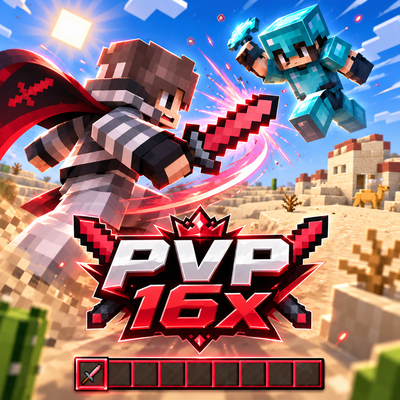
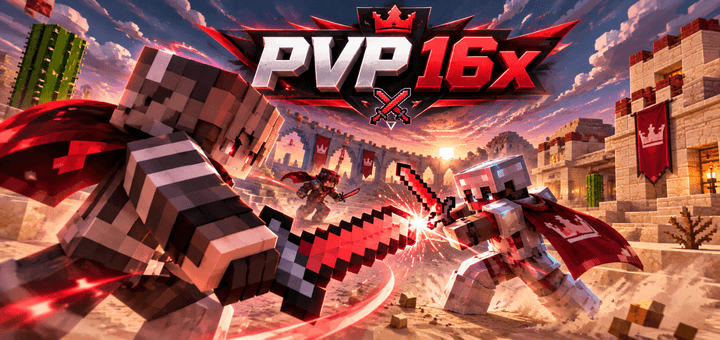
PVP 16x is a clean, compact and high-contrast Minecraft resource pack built specifically for fast-paced PvP.
With shorter weapons, sharp 16x textures, a customized HUD, redesigned armor, PvP items, connected glass and a dark red visual style, the pack keeps Minecraft easy to read while giving combat a much stronger look.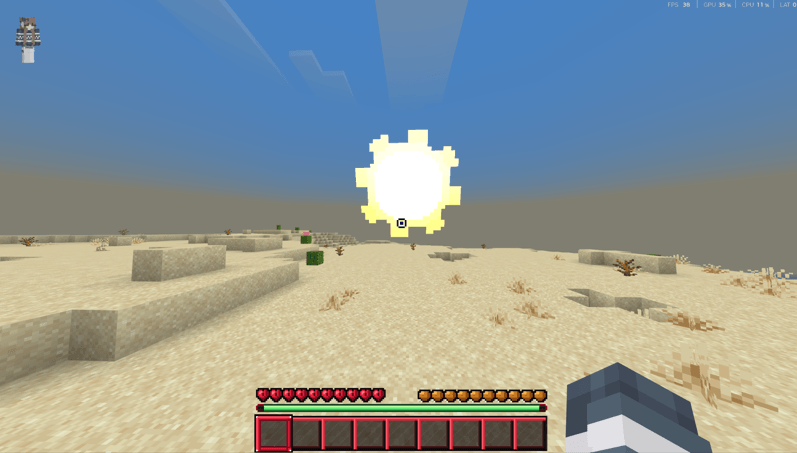
⚔️ Short PvP Swords
Swords are one of the main highlights of PVP 16x.
They feature:
Shorter blades
Compact handles
Sharp pixel outlines
Reduced screen obstruction
Easy visibility in the hotbar
Distinct colors for every material
The Diamond Sword uses a striking red design instead of the traditional cyan look, while Iron, Gold, Stone and Wood keep their own recognizable material styles.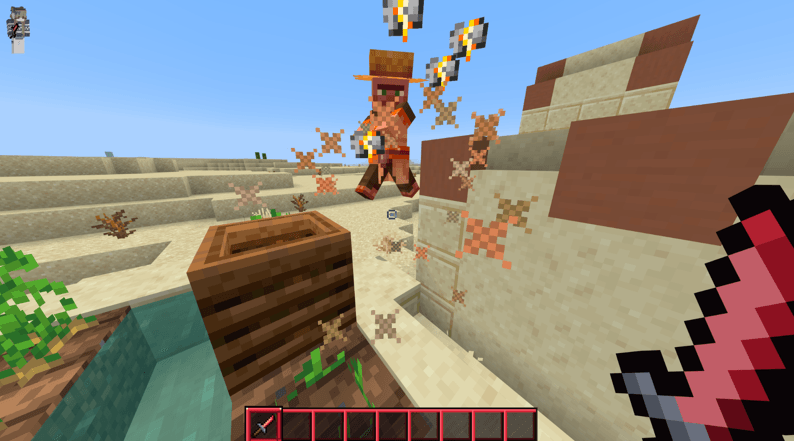
⛏️ Compact Tools
Pickaxes, axes, shovels and hoes have been redesigned with smaller heads, shorter handles and dark outlines.
Each material remains easy to recognize, while selected Diamond tools use red, cyan and turquoise accents instead of applying the exact same color to every item.
💎 PvP-Focused Items
Important combat items receive clear, compact designs, including:
Ender Pearls
Golden Apples
Normal Apples
Golden Carrots
Potions
Snowballs
Eggs
Fishing Rods
Bows
Arrows
Buckets
Experience Bottles
Blaze Rods
Nether Stars
Compass
Clock
Enchanted Books
Everything is designed to remain readable at 16×16 resolution during fast combat.
🏹 Custom Bow
The bow includes all pulling stages with a compact dark-red and black design.
Different red, orange and purple accents appear while charging, giving the bow a distinctive PvP look without making it unnecessarily large.
🛡️ Redesigned Armor
Armor receives its own custom visual identity.
Diamond armor icons retain cyan-style elements, while the worn Diamond Armor uses strong red armor surfaces.
Iron, Gold, Chain and Leather armor also receive matching custom textures.
❤️ Custom HUD
PVP 16x redesigns important HUD elements for a cleaner combat experience:
Custom Hotbar
Red selected-slot indicator
Custom Hearts
Hunger Icons
Armor Icons
XP Bar
Crosshair
Air Bubbles
Boss Bars
Additional HUD elements
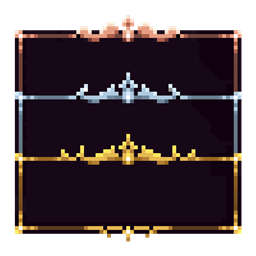
The Hotbar uses a dark base with strong red borders and clearly separated slots.
🎒 Custom GUI
The pack also covers Minecraft's main menus and containers, including:
Inventory
Crafting Table
Furnace
Anvil
Enchanting Table
Brewing Stand
Beacon
Hopper
Horse Inventory
Villager Trading
Creative Inventory
Server Selection
Resource Pack Menu
Unlike the darker combat items, many interfaces use a cleaner light-gray and dark-gray design to keep inventories easy to navigate.
🧱 Redesigned Blocks
PVP 16x includes a large collection of block textures while keeping Minecraft's environment recognizable.
Natural blocks generally retain their classic colors instead of turning the entire world red.
Stone, ores, wood, wool, building blocks, plants, functional blocks and many other textures are designed around clear visibility and smooth 16x pixel art.
🪟 Connected Glass
With compatible OptiFine Connected Textures, glass can create cleaner surfaces with thin borders and minimal visual clutter.
The design covers normal glass alongside all stained-glass colors, making large glass structures much cleaner during gameplay.
🌊 Animated Textures
Important animated textures are supported, including:
Water
Lava
Fire
Nether Portal
Sea Lantern
Prismarine
Clock
Compass
These keep their animated behavior instead of being replaced by static textures.
🌌 Custom Atmosphere
The pack combines a bright daytime atmosphere with a much darker nighttime style.
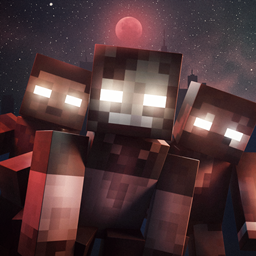
Daytime keeps clear blue skies and bright clouds, while the night uses deep red and wine-colored tones with a dramatic star-filled appearance.
✨ Features
16x PvP textures
Short swords
Compact tools
Red Diamond Sword
Red worn Diamond Armor
Custom PvP items
Custom Bow animation
Custom Hotbar & HUD
Redesigned GUI
Custom blocks
Connected Glass support
Animated Water, Lava & Fire
Custom particles
Custom sky atmosphere
High contrast visuals
Clean pixel-art style
If you want a compact PvP pack with strong red accents, short weapons and a clean competitive look, PVP 16x is built for exactly that. ⚔️🔥
The Ultimate Guide to PVP 16x PVP
If you are exploring the vast world of Minecraft modifications, PVP 16x PVP by Sonicmods is a standout texture that deserves your attention. With over 110 downloads, it has become a staple for players looking to enhance their experience. As the creator describes it, this project is "PVP 16x is a clean Minecraft PvP pack with short swords, compact tools, custom armor, redesigned HUD and GUI, connected glass, animated textures and a sharp red-and-dark visual style made for fast, clear combat. ⚔️🔥". Whether you are a veteran builder constructing massive cities, or simply a casual player looking to upgrade your survival world, this guide will provide you with all the essential details on how PVP 16x PVP alters the game.
What Makes It Special?
Unlike standard textures that simply alter superficial elements, PVP 16x PVP introduces a wide array of visual and mechanical features designed to seamlessly blend into the vanilla aesthetic. Sonicmods has clearly spent significant time refining the project to ensure that every aspect feels polished and responsive for version 1.21.132.
Installation Guide
Getting PVP 16x PVP up and running is straightforward. Follow these step-by-step instructions:
- Verify Your Version: Ensure your Minecraft launcher is set to version 1.21.132.
- Install Mod Loader (if required): If this is a mod, download the compatible loader (Forge, Fabric, NeoForge).
- Download the File: Click the secure download button above to retrieve the official file from CurseForge.
- Move the File: Place the downloaded file into your `mods`, `shaderpacks`, or `resourcepacks` folder depending on the texture type.
- Launch and Enjoy: Open Minecraft, navigate to the respective settings menu, and activate PVP 16x PVP.
Compatibility & Performance
Compatibility is robust. PVP 16x PVP is designed specifically for version 1.21.132, taking full advantage of the latest engine optimizations. During typical gameplay, this addition maintains a stable frame rate, though lower-end laptops might experience slight stuttering. We recommend pairing this with performance boosters like Sodium or Iris to guarantee a silky-smooth experience.