Why Entity Culling is a top-tier shader mod for Minecraft 1.21.132
Developed by the talented creator oSkullo, Entity Culling stands out as a highly recommended selection for your Minecraft client. It is fully optimized, compatibility-tested, and brings a major upgrade to the gameplay experience in Minecraft version 1.21.132.
⚙️ Quick Resource Specs
| Mod Creator | oSkullo |
| Latest Version | 1.21.132 |
| Supported Game Versions | 1.21.132, 1.21.131, 1.21.130, 1.21.124, 1.21.123 |
| File Size | 1.46 MB |
| Last Updated | |
| Total Downloads | 101 downloads |
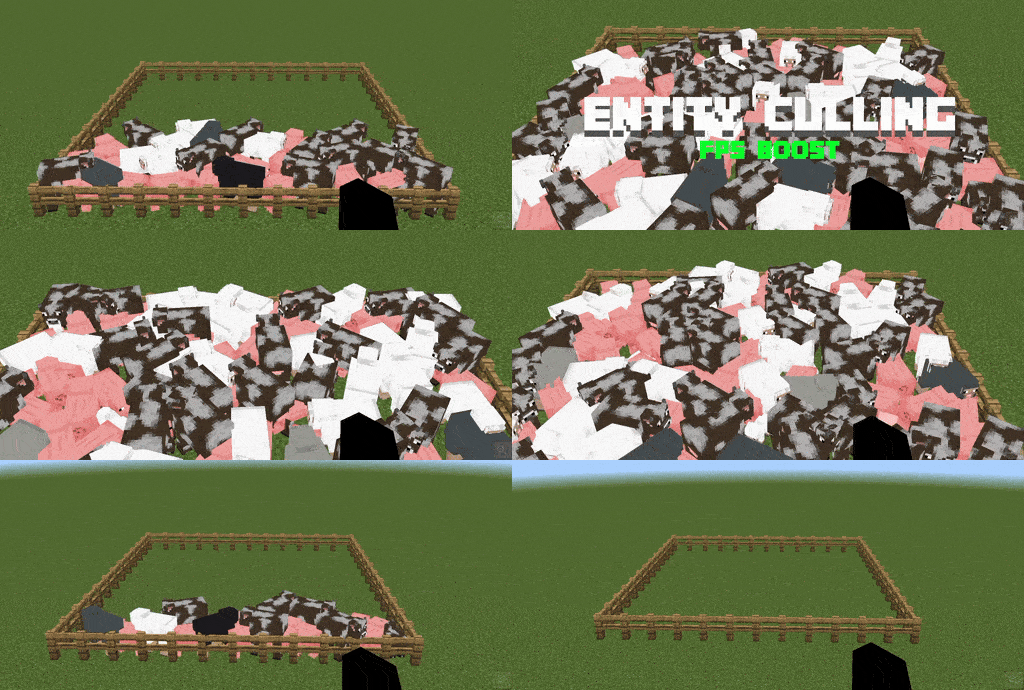
Hide far-away entities and stop their animations to help your FPS. Choose your distance from 10 to 60 blocks.
Important: read this first
This is NOT real Java-style entity culling.
The Java mod "Entity Culling" checks whether an entity is hidden behind blocks and skips drawing it. That needs custom game code. Minecraft Bedrock resource packs cannot read the blocks around an entity, so real occlusion culling is not possible with a texture pack.
What this pack does instead is a distance-based version: entities that are far from your camera stop being drawn and stop animating. It shows what a resource pack can do to help FPS, but it is not the same thing, and it does not hide things behind walls.
What it does
Hides far mobs. Past the set distance, a mob's body, armor, and overlays are no longer drawn.
Freezes animations. Hidden mobs stop animating, and their per-frame animation math is skipped. This saves CPU work, not just drawing.
Cheaper effects at mid-range. At about 60% of a mob's range, armor, saddles, harnesses, clothing layers, and overlays (including enchant glint) turn off first. Head-look, tail, ear, and wag animations stop too. Past the full range, the whole mob is hidden.
Per-mob ranges. Small and fast mobs hide sooner, big mobs stay visible longer.
Tiny (0.5x): bats, silverfish, endermites, bees, fish, tadpoles, vexes, cave spiders
Small (0.7x): chickens, cats, ocelots, foxes, frogs, armadillos, allays, rabbits, parrots, axolotls, turtles, copper golems
Normal (1x): most other mobs
Large (1.4x): horses, llamas, camels, pandas, polar bears, hoglins, endermen, striders, guardians, dolphins
Huge (2x): ghast, warden, ravager, sniffer, iron golem, elder guardian
More than mobs. Also culls xp orbs, arrows, all minecart types (including TNT minecarts), and armor stands.
Choose your distance
13 distance options in one pack: 10, 16, 20, 24, 28, 32, 36, 40, 44, 48, 52, 56, 60 blocks.
Activate the pack in Settings > Storage > Global Resources (or in your world's resource packs).
Tap the gear icon on the pack.
Pick your distance.
If no choice is shown, the pack uses 32 blocks.
Lower numbers hide more and can save more FPS. Higher numbers look more natural. For survival, 32 or more is the safer choice, since hostile mobs outside your view distance are hidden.
Will it boost my FPS?
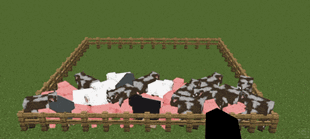
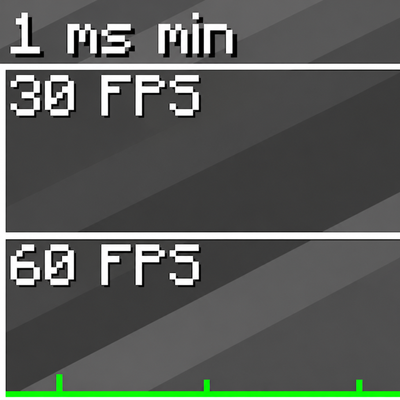
It can help, mostly in places with lots of mobs, like mob farms, villages, animal pens, and busy servers. In empty areas you probably will not notice any difference. Results depend on your device and settings, so no exact numbers are promised.
Good to know
Only the drawing and animation are affected. Mobs still exist, move, attack, and make sound. You can hear a mob you can't see.
Mobs reappear instantly when you get within range.
Not affected: you and other players, NPCs, bosses (ender dragon, wither), and projectiles other than arrows.
Dropped items and boats cannot be culled by a resource pack, so they are left alone.
This pack replaces mob entity files. It can conflict with other packs that edit mobs (animation packs, ragdoll packs, custom mob models). The pack higher in your list wins.
Requires a recent Bedrock version (1.26+).
Credits and license
Created by oSkullo.
Please do not steal, re-upload, or redistribute this pack, and do not claim it as your own. You can use it for free and show it in videos or streams with credit. The full terms are in LICENSE.txt inside the pack.
The Ultimate Guide to Entity Culling
If you are exploring the vast world of Minecraft modifications, Entity Culling by oSkullo is a standout shader that deserves your attention. With over 101 downloads, it has become a staple for players looking to enhance their experience. As the creator describes it, this project is "Hides far-away mobs, xp orbs, arrows, minecarts & armor stands and stops their animations to help FPS. Pick 10-60 blocks. Not real Java entity culling (impossible on Bedrock), just a pack that helps.". Whether you are a veteran builder constructing massive cities, or simply a casual player looking to upgrade your survival world, this guide will provide you with all the essential details on how Entity Culling alters the game.
What Makes It Special?
Unlike standard shaders that simply alter superficial elements, Entity Culling digs deep into the game's engine to provide a cohesive, performance-focused experience. oSkullo has clearly spent significant time refining the project to ensure that every aspect feels polished and responsive for version 1.21.132.
Installation Guide
Getting Entity Culling up and running is straightforward. Follow these step-by-step instructions:
- Verify Your Version: Ensure your Minecraft launcher is set to version 1.21.132.
- Install Mod Loader (if required): If this is a mod, download the compatible loader (Forge, Fabric, NeoForge).
- Download the File: Click the secure download button above to retrieve the official file from CurseForge.
- Move the File: Place the downloaded file into your `mods`, `shaderpacks`, or `resourcepacks` folder depending on the shader type.
- Launch and Enjoy: Open Minecraft, navigate to the respective settings menu, and activate Entity Culling.
Compatibility & Performance
Compatibility is robust. Entity Culling is designed specifically for version 1.21.132, taking full advantage of the latest engine optimizations. Since this is heavily focused on optimization, you can expect significant frame rate improvements on both low-end and high-end hardware.