Why Storage Drawers is a top-tier mod mod for Minecraft 1.12
Interactive compartment storage for your workshops.
⚙️ Quick Resource Specs
| Mod Creator | Texelsaur |
| Latest Version | 1.12 |
| Supported Game Versions | 1.21.11, 1.21.10, 1.21.1, 1.21, 1.12.2 |
| File Size | 572.49 KB |
| Last Updated | |
| Total Downloads | 234,681,477 downloads |


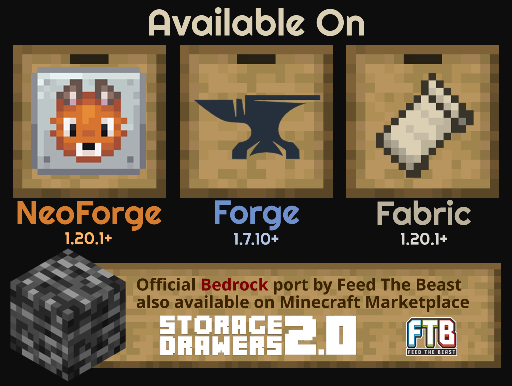 Bedrock: Feed The Beast has brought an official port to the Bedrock Marketplace, available here.
Please visit Feed The Beast's discord server for any support related to the Bedrock version.
Dependencies
MC versions 1.8 - 1.12 depend on the Chameleon library.
Fabric versions have an optional dependency on Forge Config API Port to support configuration.
Support
The best place to get support is the Texel Mods discord server. I don't have a great track record for keeping up with the issues tracker, so please let me know about any major issues there.
Translations
Translations are now being managed on a Crowdin project. If you'd like to translate a language that's not listed, open a GitHub issue. Thank you to everyone who has helped translate this mod!
Addons
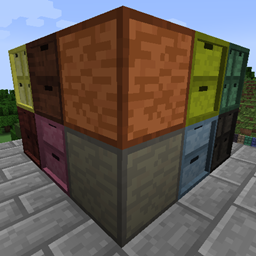
Storage Drawers Extras
A pack that adds additional wood variants for some supported mods. Revived for 1.20.

Fluid Drawers Legacy
By joe_vettek. Adds fluid variants of drawers. For 1.16+.
Check this list for other addons that may be supported for your game version.
Overview
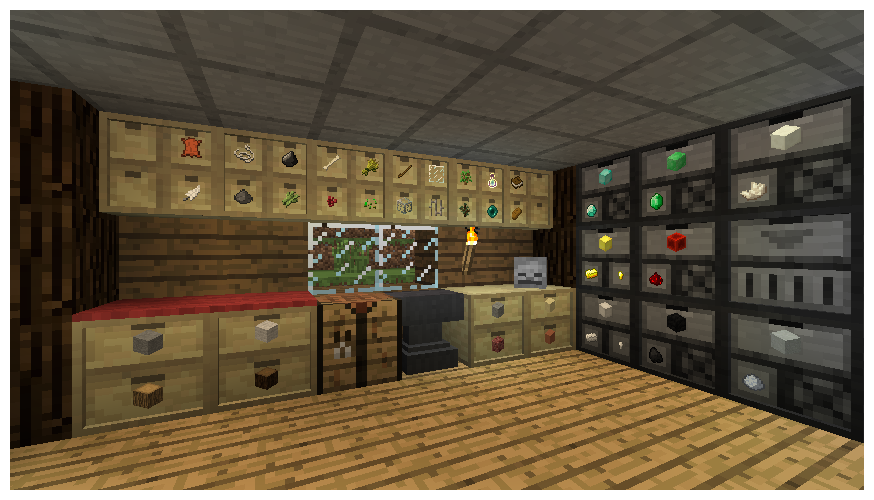
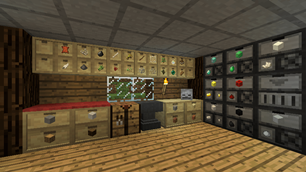
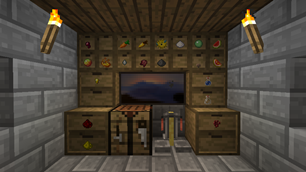
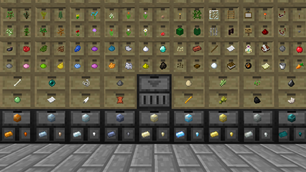
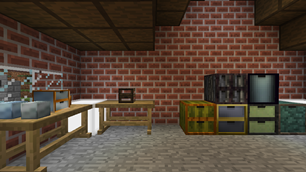
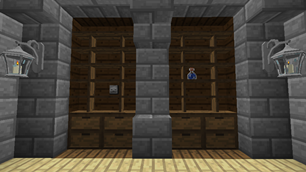
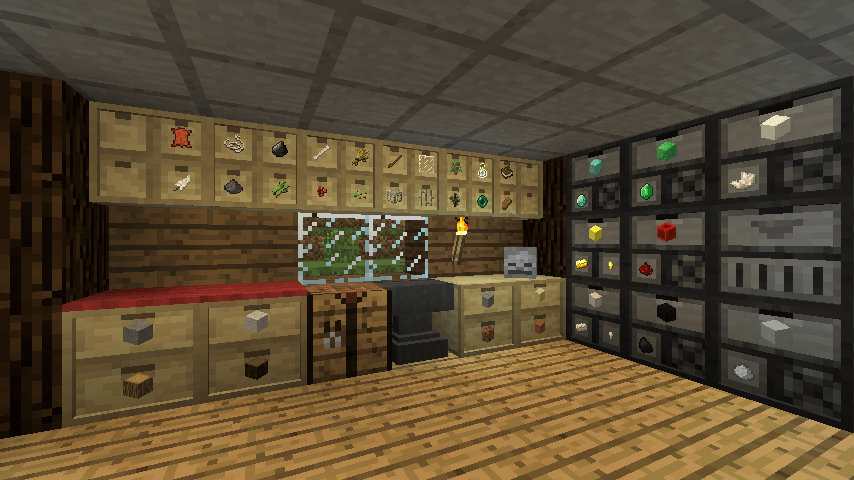
Put your most frequently used items within convenient reach. Storage Drawers borrows ideas from Jabba and Bibliocraft, resulting in a highly functional, compact, and aesthetic storage solution that is meant to complement rather than replace those mods.
Usage
There is no traditional slotted inventory with these containers. Interaction is click-based similar to Jabba. Clicking on one of drawers on front will interact with that drawer.
- Right-Click: Insert full stack in hand into drawer (or partial stack if the drawer fills).
- Double-Right-Click: Insert all compatible stacks in inventory into drawer (or until drawer fills).
- Left-Click: Remove a single item from the drawer.
- Shift+Left-Click: Remove a full stack from the drawer.
- Shift+Right-Click with empty hand: Open a UI to see exact item counts and manage applied upgrades.
The shift-click behavior is reversed from Jabba. This is based on the theory that you normally interact with stacks in Jabba, but will want to normally interact with single items in Storage Drawers. The controls can be reversed in the mod config to match Jabba.
Style, Choices, Upgrades
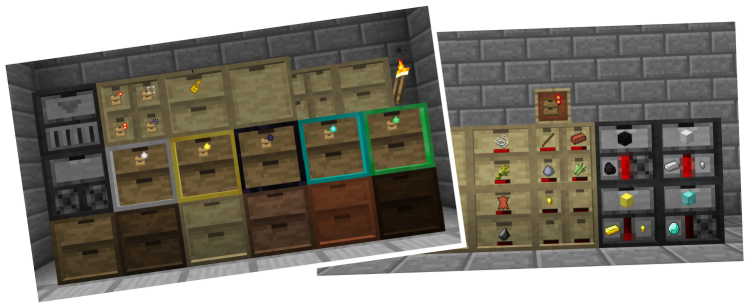
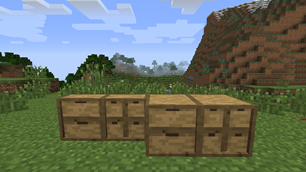
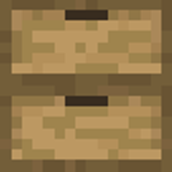
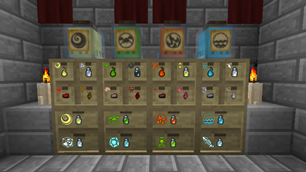
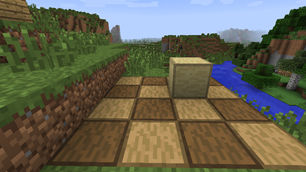
The wooden drawers are the main storage block in Storage Drawers, and they come in a variety of configurations and styles. You can pick from any of the Vanilla plank colors when crafting to get a matching block.
Drawers come in six configurations, trading capacity and compactness at different points:
- Half-size 1x1: Stores 16 stacks per drawer.
- Half-size 2x2: Stores 4 stacks per drawer.
- Half-size 1x2: Stores 8 stacks per drawer.
- Full-size 2x2: Stores 8 stacks per drawer.
- Full-size 1x2: Stores 16 stacks per drawer.
- Full-size 1x1: Stores 32 stacks per drawer.
All drawers (and other supporting blocks) can be crafted in framed versions, which lets them be restyled with different block materials.
Capacity can be further boosted with storage upgrades. Upgrades do not need to be applied in sequence, so you can pick the size you need from the start.
Many other kinds of upgrades can also be applied:
- Balanced Fill: Equalizes item counts between multiple drawers holding the same item
- Conversion: Can automatically substitute same-kind items, like variations of metal ingots
- Creative: Upgrades for infinite storage or infinite supply
- Fill Level: Adds a visual fill bar
- Hopper: Collects items in-world
- Illumination: Brightens labels in dark places
- Magnet: Collects items in-world from a distance
- One Stack: Downgrades storage space to a single stack
- Portability: Carry drawers without encumberance (if option is enabled)
- Redstone: Emit redstone based on fill levels
- Void: Voids excess items added to full drawers
Drawers can also be locked or unlocked with the Drawer Key. When a drawer is locked, it will maintain its current item association even if the last item is removed. This will prevent pipes and other transport systems from re-filling that drawer with other items.
Other keys and tools exist to alter other aspects of drawers:
- Quanitfy Key: Adds item counts to drawers
- Concealment Key: Hide drawer labels (and save render performance)
- Priority Key: Change a drawer's priority on a controller network
- Personal Key: Prevent other players from interacting with your drawer blocks
- Pause Key: Pauses a drawer from moving items on a network or performing most actions
- Drawer Puller: A tool to remove individual drawers from their blocks
The "key" tools can also be used on controllers to mass-act on all connected drawers.
Compacting Drawers and the Drawer Controller
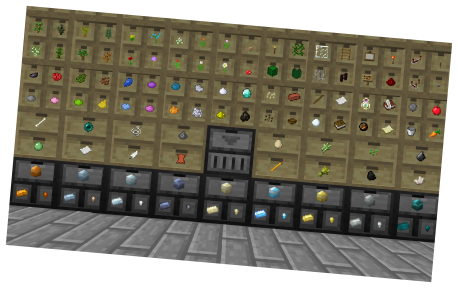
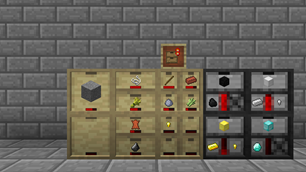
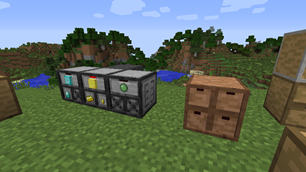
Compacting drawers are a special stone-colored drawer that auto-convert compressible items. Instead of manually crafting and uncrafting between gold blocks, ingots, and nuggets, put them in a compacting drawer. The drawer will internally maintain a pool of the material, and let you insert or remove the material in any of the shown forms.
The compacting behavior applies to any item with a compressed recipe, including redstone, glowstone, wheat, and many others.
Drawer Controllers are the second special block in the mod. They will search for any connected drawer within 50 blocks by default (configurable), and then expose all of those drawers as a large combined inventory. This lets you hook up a single pipe, tube, duct, spark, storage bus, etc. and interact with the entire bank of drawers.
The second function of the controller is as a deposit-only interactive block. By right-clicking on the front face with an item, the item will be deposited into the connected network. By double-right clicking, it will attempt to dump your entire inventory. Items will only be dumped if they already exist in the network, allowing you to clear out a bunch of mob drops or farmed crops without literally dumping your entire inventory.
Controller IO blocks act as an extension of a drawer controller, exposing more faces for attaching machines, pipes, or crafting frames. Controllers will bind to an IO when they find them on the network, and all IOs bound to the same controller will share the same inventory and range as that controller. Unlike drawers, IOs cannot be shared, and you should be careful to not put them in range of multiple controllers. Using controller IO is better for performance than using multiple controllers.
Trim blocks are decorative wood paneled blocks similar to wooden drawers, but they can also be used to connect drawer blocks within a controller network.
Compatibility
While some players choose to use Storage Drawers as a replacement for other storage mods, it works best with others. Pair up with more complex storage mods like Applied Energistics 2 or Refined Storage and attach your drawer controller network to their storage network, taking advantage of their access terminals and other features.
Compatibility with other mods varies version to version. In the more recent 1.20.1+ branches, special integration has been added for:
- FTB Chunks (to better respect chunk protection)
- FTB Teams (to support team-based personal locking)
- CoFH Core (to support CoFH friends list personal locking)
- Jade and TheOneProbe (additional info on their tooltips)
Configuration
Many aspects of the mod can be configured via its main config file storagedrawers-common-v2.toml. Some of the things that can be configured:
- Per-block and per-upgrade storage amounts
- Individually disable any tool or upgrade
- Tweak or disable a wide array of features
Most config items can be live-reloaded using a mod like Configured, though a few entries may require a full world reload or individual world chunks to reload.
Other Resources
Official project thread: http://www.minecraftforum.net/forums/mapping-and-modding/minecraft-mods/2198533
GitHub Project Page: https://github.com/jaquadro/StorageDrawers
Permissions
You are permitted to include this mod in any mod pack for public or private distribution.
The Ultimate Guide to Storage Drawers
If you are exploring the vast world of Minecraft modifications, Storage Drawers by Texelsaur is a standout mod that deserves your attention. With over 234,681,477 downloads, it has become a staple for players looking to enhance their experience. As the creator describes it, this project is "Interactive compartment storage for your workshops.". Whether you are a veteran builder constructing massive cities, or simply a casual player looking to upgrade your survival world, this guide will provide you with all the essential details on how Storage Drawers alters the game.
What Makes It Special?
Unlike standard mods that simply alter superficial elements, Storage Drawers introduces a wide array of visual and mechanical features designed to seamlessly blend into the vanilla aesthetic. Texelsaur has clearly spent significant time refining the project to ensure that every aspect feels polished and responsive for version 1.12.
Installation Guide
Getting Storage Drawers up and running is straightforward. Follow these step-by-step instructions:
- Verify Your Version: Ensure your Minecraft launcher is set to version 1.12.
- Install Mod Loader (if required): If this is a mod, download the compatible loader (Forge, Fabric, NeoForge).
- Download the File: Click the secure download button above to retrieve the official file from CurseForge.
- Move the File: Place the downloaded file into your `mods`, `shaderpacks`, or `resourcepacks` folder depending on the mod type.
- Launch and Enjoy: Open Minecraft, navigate to the respective settings menu, and activate Storage Drawers.
Compatibility & Performance
Compatibility is robust. Storage Drawers is designed specifically for version 1.12, taking full advantage of the latest engine optimizations. During typical gameplay, this addition maintains a stable frame rate, though lower-end laptops might experience slight stuttering. We recommend pairing this with performance boosters like Sodium or Iris to guarantee a silky-smooth experience.