Why Ashen 16x is a top-tier texture pack mod for Minecraft 1.21
Developed by the talented creator Aim__Boot, Ashen 16x stands out as a highly recommended selection for your Minecraft client. It is fully optimized, compatibility-tested, and brings a major upgrade to the gameplay experience in Minecraft version 1.21.
⚙️ Quick Resource Specs
| Mod Creator | Aim__Boot |
| Latest Version | 1.21 |
| Supported Game Versions | 1.21.11, 1.21.10, 1.21.9, 1.21.8, 1.21.7 |
| File Size | 11.90 MB |
| Last Updated | |
| Total Downloads | 8,925,980 downloads |
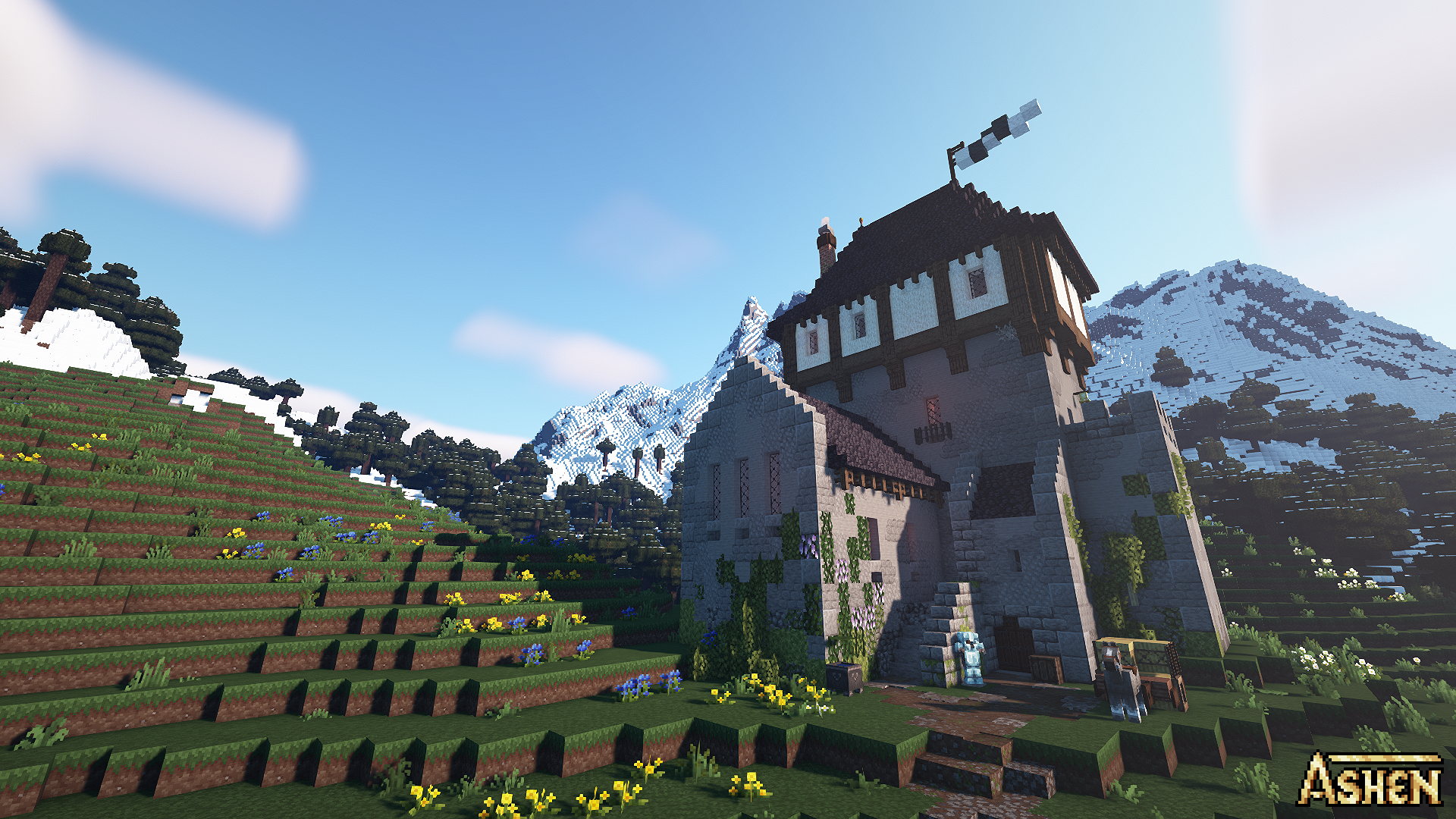


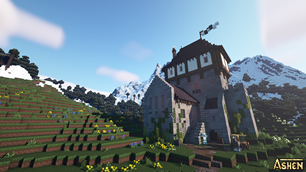
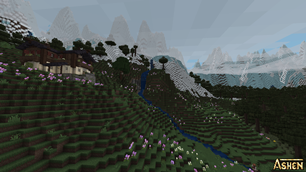
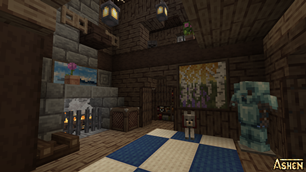
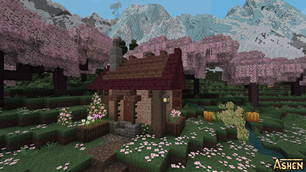
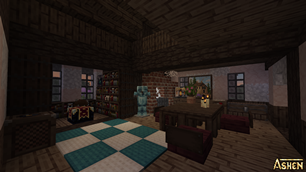
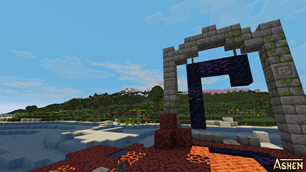
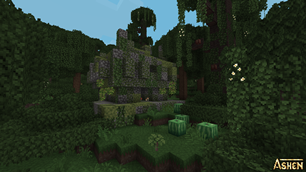
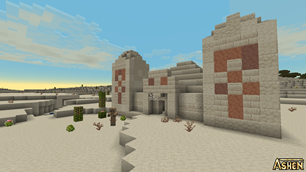
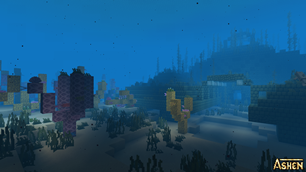
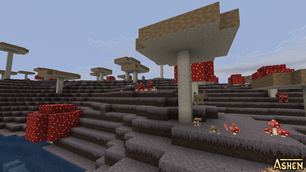
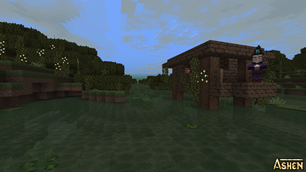
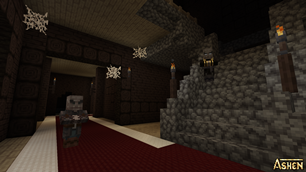
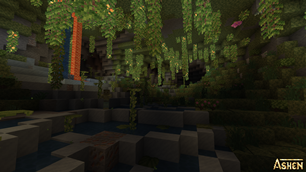
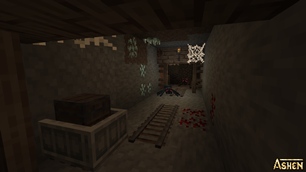
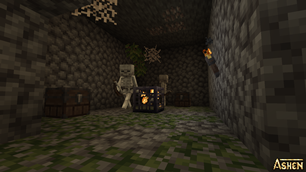
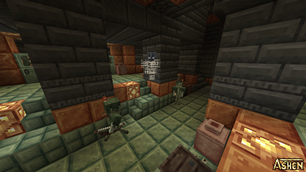
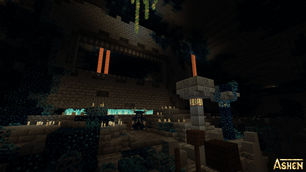
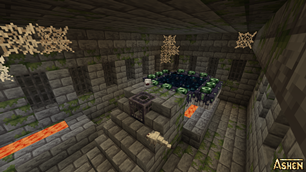
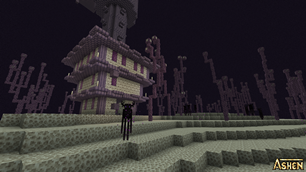
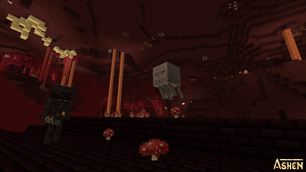
 Ashen is a 16x resource pack meant to completely overhaul the game's visual style while remaining faithful to Minecraft's original vision. The pack features custom models for many blocks and items, new block variants for added detail for your builds, and mob variants (when paired with a mod like Optifine) for further variety.
Ashen has been a hobby project of mine for a while now -- I started working on it as early as 2019 (though none of the textures I made then are still in use). Now, as of release v1.13, the pack is feature-complete! It features textures for every in-game asset (excluding Realms assets and the font, the latter of which is offered as a standalone download)!
Want to stay up-to-date on announcements and development for Ashen? Want to share your own creations using Ashen? Join the Discord here: https://discord.gg/k5pDjKbhdh
Ashen is a 16x resource pack meant to completely overhaul the game's visual style while remaining faithful to Minecraft's original vision. The pack features custom models for many blocks and items, new block variants for added detail for your builds, and mob variants (when paired with a mod like Optifine) for further variety.
Ashen has been a hobby project of mine for a while now -- I started working on it as early as 2019 (though none of the textures I made then are still in use). Now, as of release v1.13, the pack is feature-complete! It features textures for every in-game asset (excluding Realms assets and the font, the latter of which is offered as a standalone download)!
Want to stay up-to-date on announcements and development for Ashen? Want to share your own creations using Ashen? Join the Discord here: https://discord.gg/k5pDjKbhdh
 As it stands, Ashen is offered as-is. I can in no way guarantee it'll be compatible with other resource packs or mods that change block, item, or creature models. If it works out of the box, that's great. However, ensuring mod compatibility is not my first priority. I mostly play vanilla, so I approach Ashen with that in mind. Once I finish the pack's core textures, though, I do intend to go back through and add expanded mod compatibility, and even add support for some mods.
As of Ashen 1.2, the pack should be out-of-the-box compatible with FreshLX's Fresh Animations. In order to use both packs together, you'll need to place Ashen above Fresh Animations in the resource pack load order (the panel on the right when you select packs). While I cannot guarantee 100% compatibility, I will do my best to maintain Ashen's mob textures to keep it as compatible as possible.
I also do not currently plan on providing support or compatibility for out-of-date versions of Minecraft, at least not as the pack currently stands. I don't play older versions, so my focus is on maintaining its compatibility with current versions of the game. I may offer versions compatible with older updates in the future, but that's pretty low on my to-do list. This also extends to Bedrock Edition compatibility. I've only ever played Java, so at present I have little personal investment in the time and effort it would take to fully port this pack, so that, too, is very low on my to-do list. This is not to say a Bedrock port is out of the question, but it likely won't happen any time soon.
As it stands, Ashen is offered as-is. I can in no way guarantee it'll be compatible with other resource packs or mods that change block, item, or creature models. If it works out of the box, that's great. However, ensuring mod compatibility is not my first priority. I mostly play vanilla, so I approach Ashen with that in mind. Once I finish the pack's core textures, though, I do intend to go back through and add expanded mod compatibility, and even add support for some mods.
As of Ashen 1.2, the pack should be out-of-the-box compatible with FreshLX's Fresh Animations. In order to use both packs together, you'll need to place Ashen above Fresh Animations in the resource pack load order (the panel on the right when you select packs). While I cannot guarantee 100% compatibility, I will do my best to maintain Ashen's mob textures to keep it as compatible as possible.
I also do not currently plan on providing support or compatibility for out-of-date versions of Minecraft, at least not as the pack currently stands. I don't play older versions, so my focus is on maintaining its compatibility with current versions of the game. I may offer versions compatible with older updates in the future, but that's pretty low on my to-do list. This also extends to Bedrock Edition compatibility. I've only ever played Java, so at present I have little personal investment in the time and effort it would take to fully port this pack, so that, too, is very low on my to-do list. This is not to say a Bedrock port is out of the question, but it likely won't happen any time soon.
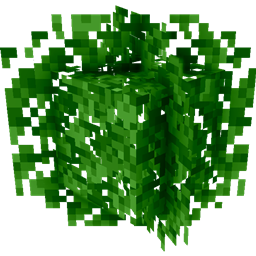
 Looking to enhance or change aspects of your experience using Ashen? Don't like bushy leaves? Want to use Ashen with mods? Well then you might be interested in some of my additional Add-On packs!
- Ashen 16x Mod Compatibility
- Ashen Autumn Forest
- Ashen Custom Mobs
- Ashen Custom Mobs x Fresh Animations
- Ashen Emissive Ores
- Ashen Simple Foliage
- Ashen Simple Glass
- Ashen Vanilla Scaffolding
- Ashen Custom Font
- Ashen Legacy Glass
- Ashen Armors and Tools Standalone
 What can you do with Ashen?
- Play with it (obviously)
- Encourage your friends to play with it (please)
- Take and upload screenshots with it
- Include it in videos or other media (I would very much appreciate it if you would credit me if you do this)
- Include it in a modpack.
- Modify any or all files for personal use. I will not, however, provide support for versions you've personally modified.

The Ultimate Guide to Ashen 16x
If you are exploring the vast world of Minecraft modifications, Ashen 16x by Aim__Boot is a standout texture that deserves your attention. With over 8,925,980 downloads, it has become a staple for players looking to enhance their experience. As the creator describes it, this project is "A 16x, medieval-fantasy take on Minecraft.". Whether you are a veteran builder constructing massive cities, or simply a casual player looking to upgrade your survival world, this guide will provide you with all the essential details on how Ashen 16x alters the game.
What Makes It Special?
Unlike standard textures that simply alter superficial elements, Ashen 16x introduces a wide array of visual and mechanical features designed to seamlessly blend into the vanilla aesthetic. Aim__Boot has clearly spent significant time refining the project to ensure that every aspect feels polished and responsive for version 1.21.
Installation Guide
Getting Ashen 16x up and running is straightforward. Follow these step-by-step instructions:
- Verify Your Version: Ensure your Minecraft launcher is set to version 1.21.
- Install Mod Loader (if required): If this is a mod, download the compatible loader (Forge, Fabric, NeoForge).
- Download the File: Click the secure download button above to retrieve the official file from CurseForge.
- Move the File: Place the downloaded file into your `mods`, `shaderpacks`, or `resourcepacks` folder depending on the texture type.
- Launch and Enjoy: Open Minecraft, navigate to the respective settings menu, and activate Ashen 16x.
Compatibility & Performance
Compatibility is robust. Ashen 16x is designed specifically for version 1.21, taking full advantage of the latest engine optimizations. During typical gameplay, this addition maintains a stable frame rate, though lower-end laptops might experience slight stuttering. We recommend pairing this with performance boosters like Sodium or Iris to guarantee a silky-smooth experience.