Why Paragon RP is a top-tier texture pack mod for Minecraft 1.20.2
Developed by the talented creator ElsewhereHere, Paragon RP stands out as a highly recommended selection for your Minecraft client. It is fully optimized, compatibility-tested, and brings a major upgrade to the gameplay experience in Minecraft version 1.20.2.
⚙️ Quick Resource Specs
| Mod Creator | ElsewhereHere |
| Latest Version | 1.20.2 |
| Supported Game Versions | 1.20.2, 1.20.1, 1.20 |
| File Size | 22.88 MB |
| Last Updated | |
| Total Downloads | 2,587 downloads |

Greetings, Adventurers!
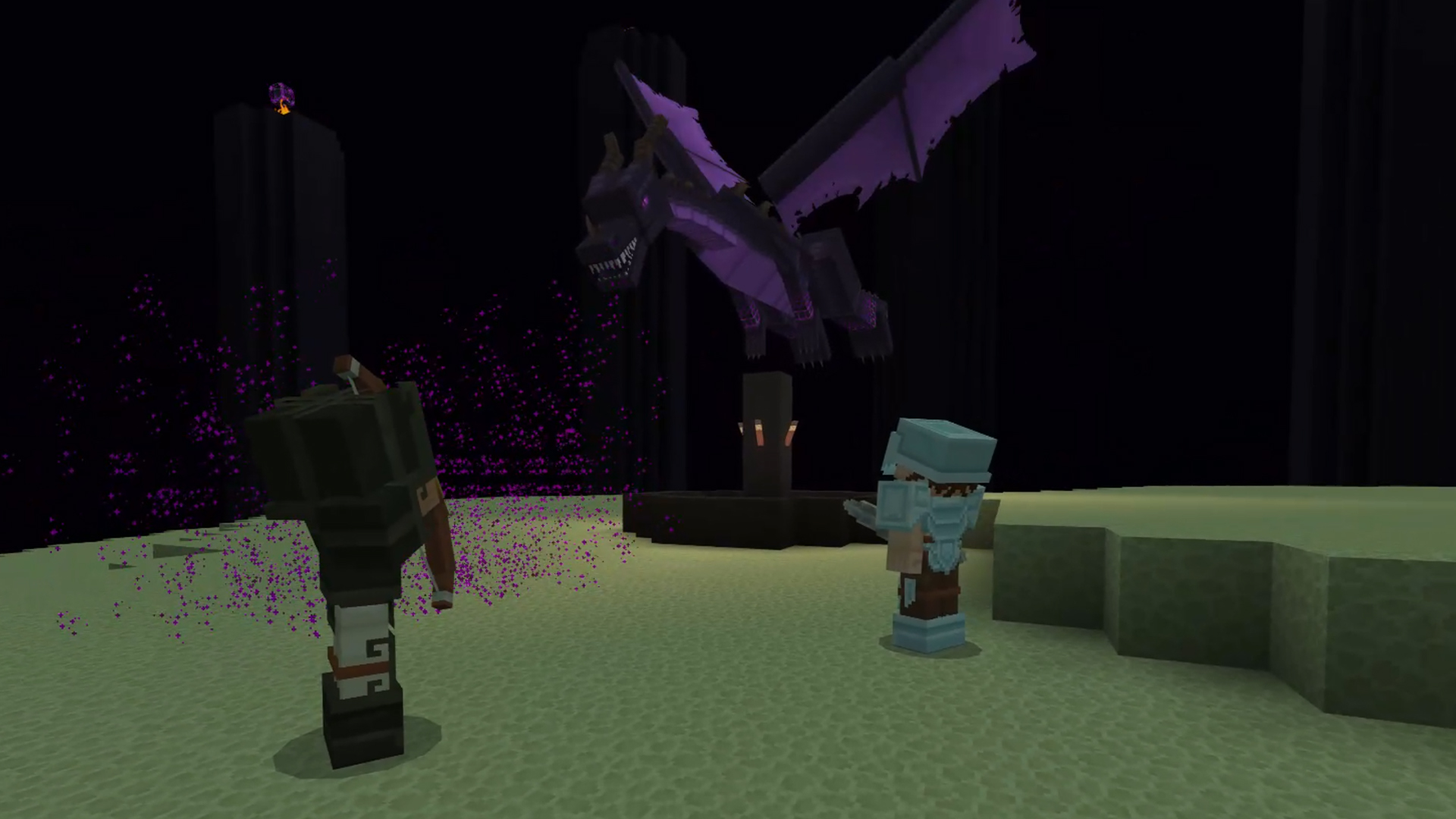
Bestow upon your worlds the enchanting transformation of Paragon, where every block tells a story! Whether you are battling dragons, crafting potions, or building your next masterpiece, experience a tapestry of vibrant textures that breathe life into every brick and beast!
So, don your armor, gather your scrolls, or merely dust off your map, and join us on this enchanting journey. There's much to explore, and the horizons are endless!






- Patreon Exclusive Content -

~ Paragon Decor & More - Hundreds of Decoration Models! (More added Every Month!)
~ Paragon Adventures - A New Survival Experience Datapack!
~ Paragon Pixels - Official Font of the Paragon RP!
https://www.patreon.com/ParagonResourcePack
How to Use Decorations
HOW TO USE DECORATIONS:
- Decor & More items use CustomModelData. I've compiled a Spreadsheet to copy + paste commands for easier access to items.
- Now that you have the item, you can place it in an Invisible Item Frame, Invisible Armor Stand, or using a Display Entity for it to display properly in your world!
- Some items are Dyable, they can be dyed in a Crafting Table like any other dyeable Minecraft item.
I'll be looking into other tools in the future to make accessing and using Decor & More items easier!

Credits and Special Thanks
Credits:
- AmberWat - //www.planetminecraft.com/account/manage/texture-packs/item/" rel="noopener nofollow" target="_blank">https://www.planetminecraft.com/account/manage/texture-packs/item/[https:/github.com/AmberWat/NegativeSpaceFont]">Negative Space Font
Special Thanks:
- Aerios
- Frostilutherous
- MarshmallowMatie
- Donimique
- Axo
Thank you to all Patreon Supporters!
License and EULA
End User License Agreement (EULA) for Paragon Resource Pack, and Additional Content*
Paragonia, LLC / ElsewhereHere
9/17/2023
By downloading and using Paragon Resource Pack and its Additional Content*, you acknowledge that you have read, understood, and agree to be bound by the terms and conditions of this EULA.
*Additional Content - includes, but is not limited to, Paragon Decor & More Addon, Paragon Adventures Datapack, and Paragon Pixels font.
TERMS AND CONDITIONS
--------------------
1. Introduction
This End User License Agreement ("EULA") governs the use of the Paragon Resource Pack (the "Resource Pack") created by Paragonia, LLC / ElsewhereHere. By downloading and using the Resource Pack, you agree to be bound by the terms of this EULA.
2. Definitions
For the purposes of this EULA, "Resource Pack" refers to the textures, models, sounds, and font provided by Paragonia, LLC / ElsewhereHere.
3. License Grant
Users are granted a non-exclusive, non-transferable, revocable license to use the Resource Pack for personal, non-commercial use only. This license permits users to apply the Resource Pack to their in-game worlds and share screenshots of their worlds utilizing the Resource Pack.
4. Restrictions
- Users may not sell, redistribute, or provide the Resource Pack, in whole or in part, on any platform.
- Users may not modify, decompile, or reverse engineer the Resource Pack.
- Sharing the Resource Pack, whether by direct transfer, through a link, or any other means, to another individual is strictly prohibited. All users should obtain the Resource Pack directly from the official source designated by Paragonia, LLC / ElsewhereHere.
5. Termination
Paragonia, LLC / ElsewhereHere reserves the right to terminate this EULA and the license granted herein at any time, especially in the event of any violation of these terms. Upon termination, users are required to cease all use of the Resource Pack and delete any copies in their possession.
6. Liability & Warranty
The Resource Pack is provided "as is" without warranty of any kind, either expressed or implied, including, but not limited to, the implied warranties of merchantability or fitness for a particular purpose. Paragonia, LLC / ElsewhereHere shall not be liable for any damages arising from the use of the Resource Pack.
7. Jurisdiction & Governing Law
This EULA shall be governed by and construed in accordance with the laws of the United States. Any disputes arising out of or in connection with this EULA shall be subject to the exclusive jurisdiction of the courts of the United States.
8. Minecraft and Microsoft EULA
You agree not to use this pack or its contents in any way that violates the Minecraft EULA.

The Ultimate Guide to Paragon RP
If you are exploring the vast world of Minecraft modifications, Paragon RP by ElsewhereHere is a standout texture that deserves your attention. With over 2,587 downloads, it has become a staple for players looking to enhance their experience. As the creator describes it, this project is "Paragon is a 32x Medieval-Fantasy themed texture pack for both Bedrock and Java editions of Minecraft. With frequent updates and a chest-full of additional content, there is always something new to experience!". Whether you are a veteran builder constructing massive cities, or simply a casual player looking to upgrade your survival world, this guide will provide you with all the essential details on how Paragon RP alters the game.
What Makes It Special?
Unlike standard textures that simply alter superficial elements, Paragon RP introduces a wide array of visual and mechanical features designed to seamlessly blend into the vanilla aesthetic. ElsewhereHere has clearly spent significant time refining the project to ensure that every aspect feels polished and responsive for version 1.20.2.
Installation Guide
Getting Paragon RP up and running is straightforward. Follow these step-by-step instructions:
- Verify Your Version: Ensure your Minecraft launcher is set to version 1.20.2.
- Install Mod Loader (if required): If this is a mod, download the compatible loader (Forge, Fabric, NeoForge).
- Download the File: Click the secure download button above to retrieve the official file from CurseForge.
- Move the File: Place the downloaded file into your `mods`, `shaderpacks`, or `resourcepacks` folder depending on the texture type.
- Launch and Enjoy: Open Minecraft, navigate to the respective settings menu, and activate Paragon RP.
Compatibility & Performance
Compatibility is robust. Paragon RP is designed specifically for version 1.20.2, taking full advantage of the latest engine optimizations. During typical gameplay, this addition maintains a stable frame rate, though lower-end laptops might experience slight stuttering. We recommend pairing this with performance boosters like Sodium or Iris to guarantee a silky-smooth experience.